Paste
EnterInsert pastes the selected clip into the active app. The tray closes and you continue your work.
 Insert
Insert is a native clipboard tray for macOS. It keeps the items that you copy and pastes them into the app that you use.
Free and open source. No account. No cloud sync.
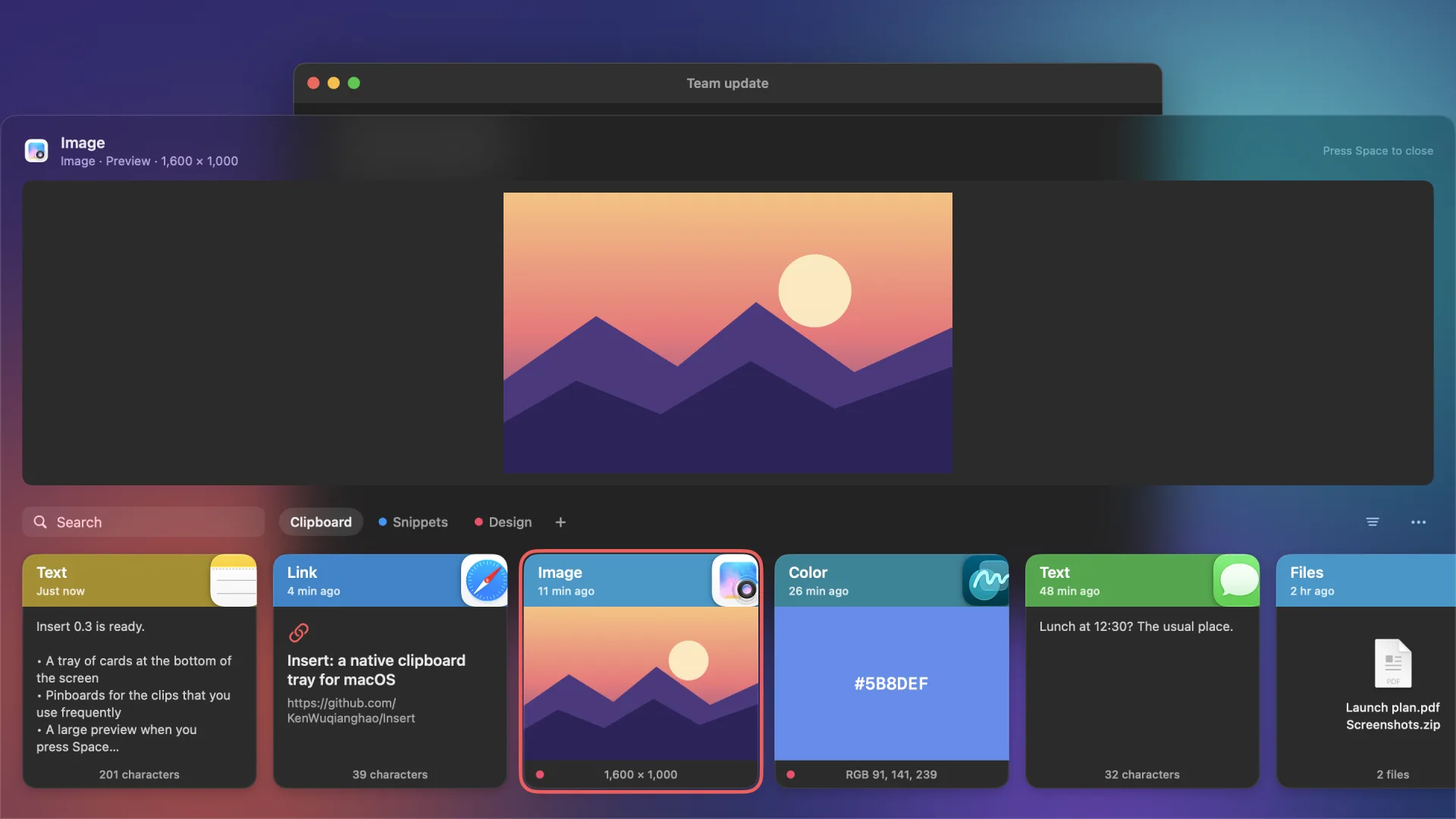
Each card shows the source app, the type, the time, and a preview of the content. The keyboard does all the work.
Insert pastes the selected clip into the active app. The tray closes and you continue your work.
Paste the clip without its format. The text takes the style of the document that you write.
Type in the tray to search. Use the filter to show one type of clip.
Pinboards keep the clips that you use frequently. The history limit does not delete pinned clips.
Hold Command to show the numbers 1 to 9 on the cards. Press a number to paste that card.
Hold Shift and press the arrow keys to select more than one clip. Delete them together.
The large preview opens above the cards. Move the selection and the preview follows.
Insert stores text, links, files, images, PDFs, rich text, colors, and common media types.
| Action | Shortcut |
|---|---|
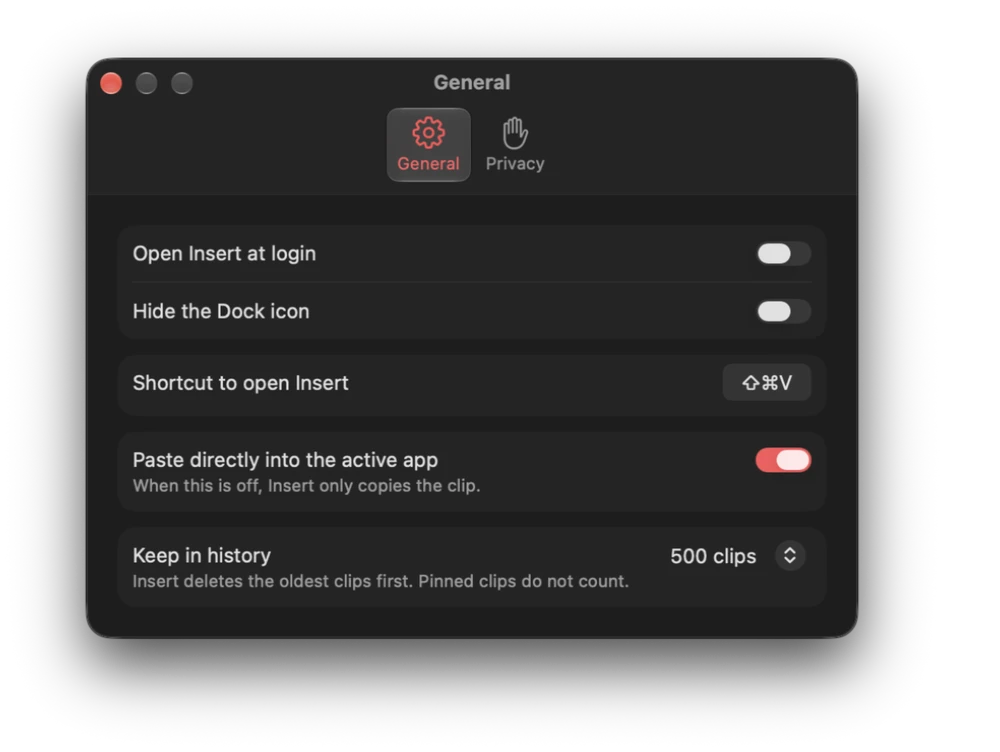
| Open or close Insert | ⇧⌘V You can change this shortcut. |
| Move the selection | Arrow keys |
| Extend the selection | ⇧ and the arrow keys |
| Select all clips | ⌘A |
| Paste the selected clip | Enter or double-click |
| Paste as plain text | ⇧Enter |
| Copy without paste | ⌘C |
| Paste card 1 to 9 | ⌘1 to ⌘9 |
| Preview | Space |
| Delete the selection | ⌫ or ⌘⌫ |
| Go to the next or previous pinboard | Tab or ⇧Tab |
| Close the preview, clear the search, or close the tray | Esc |
| Open Settings | ⌘, |
Right-click a card to pin, rename, preview, or delete the clip.
Insert needs macOS 14 or later. Open the disk image and drag Insert into Applications.
Insert pastes with a simulated ⌘V. Turn on Insert in System Settings > Privacy & Security > Accessibility. Without this permission, Insert copies the clip and you paste it.
git clone https://github.com/KenWuqianghao/Insert
cd Insert
make run